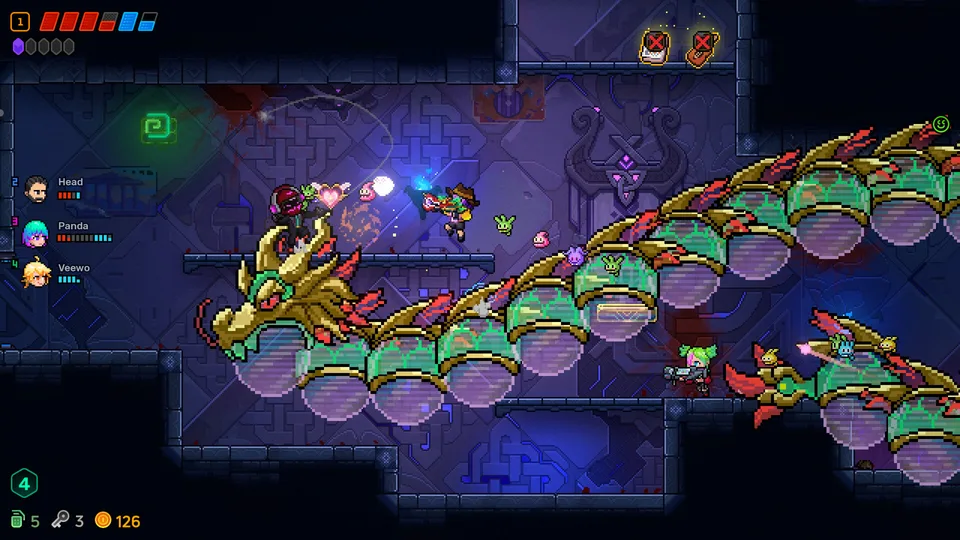
Neon Abyss 2 Patch Notes: Latest Updates and Gameplay Improvements
Stay updated with the latest Neon Abyss 2 patch notes (7.20). Learn how to access the beta branch, optimize your runs, and master the new co-op features.
Published: Neon Abyss 2 Wiki Editorial Team
Table of Contents
Understanding the Latest Neon Abyss 2 Updates
Neon Abyss 2, developed by Veewo Games, is currently in its Early Access phase, meaning the game is evolving rapidly based on player feedback and developer iterations. Since its debut, the development team has been consistent in rolling out patches to address balance, stability, and quality-of-life issues.
Keeping track of these updates is essential for any Agent diving into the cybermyth roguelike chaos. Whether you are playing solo or engaging in the four-player online co-op, knowing which weapons have been buffed or which bugs have been squashed can significantly impact your run strategy. Patch 7.20, in particular, represents a concerted effort to smooth out the early-game progression and resolve persistent issues with save data and UI elements.
Breakdown of Patch 7.20
The 7.20 update is a comprehensive patch addressing both the Default and Beta branches. It primarily targets progression speed and weapon viability, ensuring that players feel rewarded for their time spent in the abyss.
Default Branch Fixes
The primary branch received several critical adjustments intended to streamline the gameplay loop:
Progression Acceleration: Experience gain per game has been increased, specifically to speed up the acquisition of Evolution Points. This allows players to unlock permanent upgrades faster.
Weapon Balancing:
PEARAIN: Fixed the issue where the weapon had a fixed firing angle, allowing for more fluid aiming.
ASCEND & YAMA: Damage values have been increased, making these weapons more viable options in mid-to-late game encounters.
Save Integrity: In Multiplayer Mode, the storage exchange machine in the Blackdog Safe House no longer interferes with single-player save files, a major quality-of-life fix.
Bug Fixes: Resolved the issue in the ARTISANISM Faith where the Soul Head would fail to drop souls upon an instant kill.
Beta Branch Additions
The Beta branch includes all the fixes mentioned above, plus several technical improvements designed to enhance overall stability:
UI Corrections: Fixed the charge bar UI display error and the bug where the save time was incorrectly displayed as 0.
Stability: Addressed a critical freeze occurring when players jumped into the abyss while simultaneously opening the UI.
Quest Progression: Fixed an issue preventing the completion of the dynamite barrel quest.
Flight Mechanics: Improved the detection stability of the flight state.
How to Access the Beta Branch
While the Default branch is the stable version recommended for most players, the Beta branch offers an earlier look at fixes and optimizations. If you are experiencing specific bugs or want to test the latest adjustments, you can switch branches easily.
Open your Steam Library.
Right-click on Neon Abyss 2.
Select Properties from the menu.
Navigate to the Betas tab.
Select "Beta" from the dropdown menu (no password is required).
Note: Be aware that players on different branches cannot connect for multiplayer sessions due to version mismatches. If you intend to play co-op, ensure all party members are on the same branch.
Gameplay Strategies in the Current Meta
With the recent adjustments to weapons and progression, the "meta" for Neon Abyss 2 is shifting. Based on community experiences and the latest patch notes, here is how you can maximize your efficiency in the current version.
Optimizing Your Run
The game’s chaotic nature means that synergy is everything. Players often find that early-game luck—specifically with item pickups—can define the success of a run.
Tip
Synergy Focus: Always prioritize items that interact with your eggs. Many successful runs rely on "egg-hatching" mechanics, where hatching an egg generates free resources or additional eggs. If you find items that increase your egg count or spawn wisps upon egg hatching, you can create a feedback loop that makes you nearly unstoppable.
Weapon Choice
With the damage buffs to ASCEND and YAMA, these weapons are now much more reliable for clearing rooms. If you previously avoided them due to low DPS, it is worth giving them another try in your current run. Additionally, the fix to PEARAIN’s firing angle makes it a much more precise tool for handling bullet hell scenarios, where movement and positioning are key.
Managing Resources
The game encourages aggressive play, but resource management remains vital. Whether you are buying crystals or managing coins, the current update makes it easier to acquire Evolution Points, so don't be afraid to spend resources to survive a floor.
Crystal Usage
If you find items that grant a chance to spawn crystals or items upon using a crystal, build your strategy around that. This is often the key to "breaking the game" and maintaining high sustain throughout long runs.
Multiplayer Awareness
In co-op, communication is vital. With the fix to the storage exchange machine, you can now manage your inventory and resources in the Blackdog Safe House without worrying about corrupting your solo progress.
Navigating Early Access
Neon Abyss 2 is still in active development. As noted in the developer updates, the team is responsive to feedback regarding stuttering, UI freezes, and balance. If you encounter a bug, the most effective way to help the developers is to provide detailed feedback via the Steam Community hub.
The transition from the initial launch to the current patch state demonstrates the team's commitment to refining the core experience. As the game continues to evolve, expect further adjustments to character abilities, weapon synergies, and the "rule-changing" mechanics that make the game unique.
FAQ
Can I play multiplayer with a friend on a different branch?
No. Players must be on the same version branch to connect for online co-op. If you are on the Beta branch and your friend is on the Default branch, you will not be able to join each other's games.
Why did my save time display as 0?
This was a known bug that occurred prior to Patch 7.20. Updating to the latest version (or the Beta branch) fixes this display error.
What should I do if the game freezes?
The developers have addressed several freeze-related bugs, particularly those involving the UI and jumping into the abyss. Ensure your game is updated to the latest version. If the issue persists, verify the integrity of your game files through Steam.
By keeping your game updated and understanding the nuances of the latest patches, you can better navigate the chaotic, neon-drenched depths of the abyss. Whether you are chasing high scores or simply trying to survive the next floor, these updates provide the stability and balance needed to enjoy the climb.